 Custom Journal
How to Add a Shared Template
Shared template links work on both iOS and Android. To preview and save this template, make sure you have the Custom Journal app installed on your mobile device.
iPhone
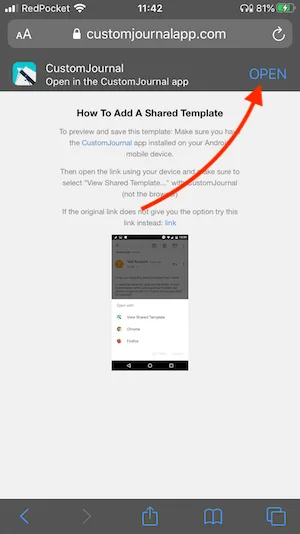
View this page on your iOS device in the Safari browser.
Scroll down on this page to reveal the option, then tap OPEN.
Android
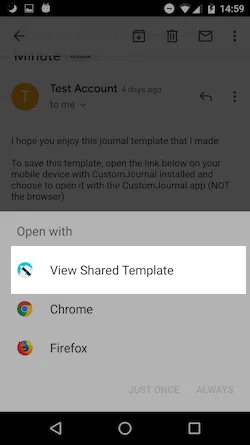
Open the link on your device and make sure to select "View Shared Template..." with Custom Journal (not the browser).
If the original link does not give you the option, try this link instead.